Updates scattered across people and spreadsheets.
Bring tasks, assignments and Site Requests into a shared project workbench, so the next action is easier to find.
See project workERP for everyday business operations
Give your team one place to manage project tasks, purchasing, stock and workforce records—from the work being planned to the materials being received.
Projects · Purchasing · Inventory · Workforce
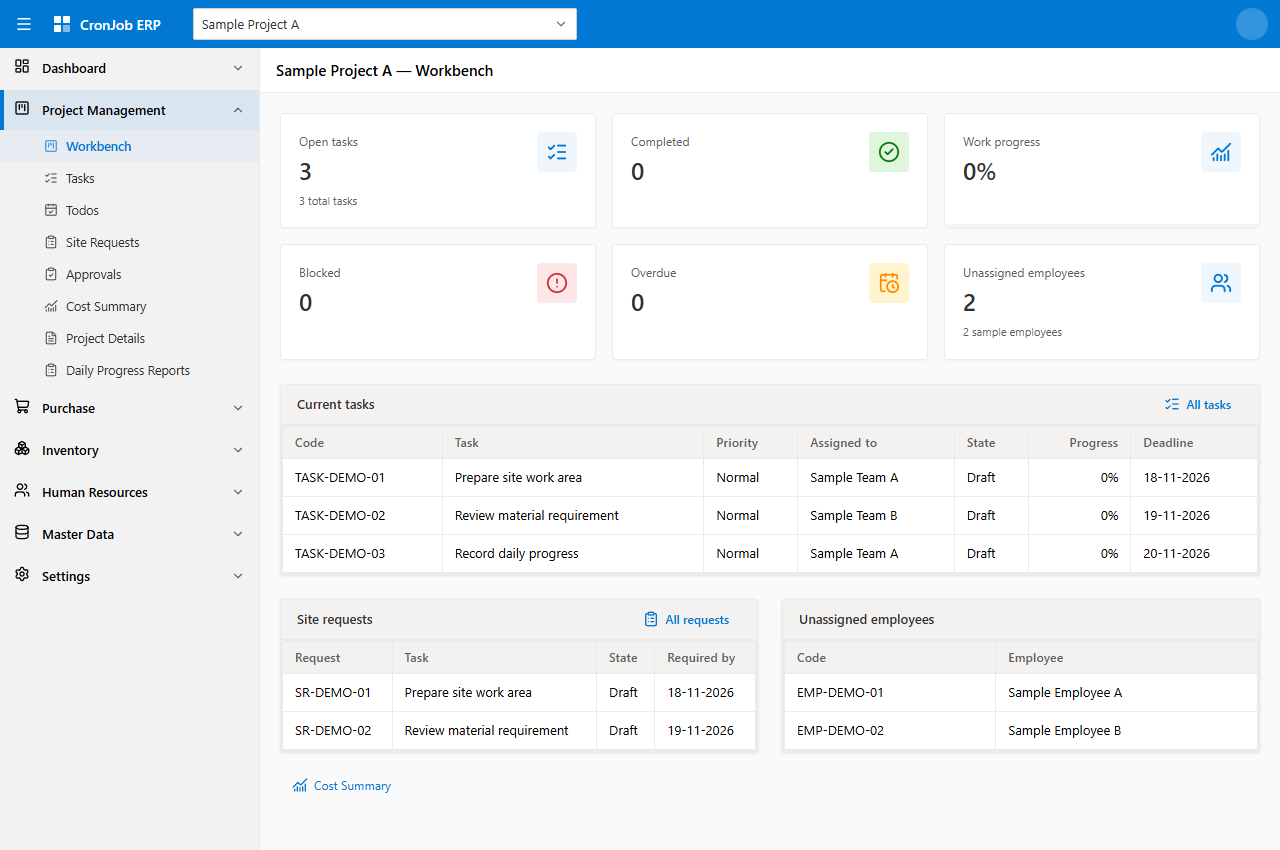
One operational workspace
Tasks, people and Site Requests stay in the project workbench.
Scroll to explore
The everyday operational challenge
A project needs more than a task list. It needs a clear view of the people doing the work, the materials being ordered and the records behind each decision.
Bring tasks, assignments and Site Requests into a shared project workbench, so the next action is easier to find.
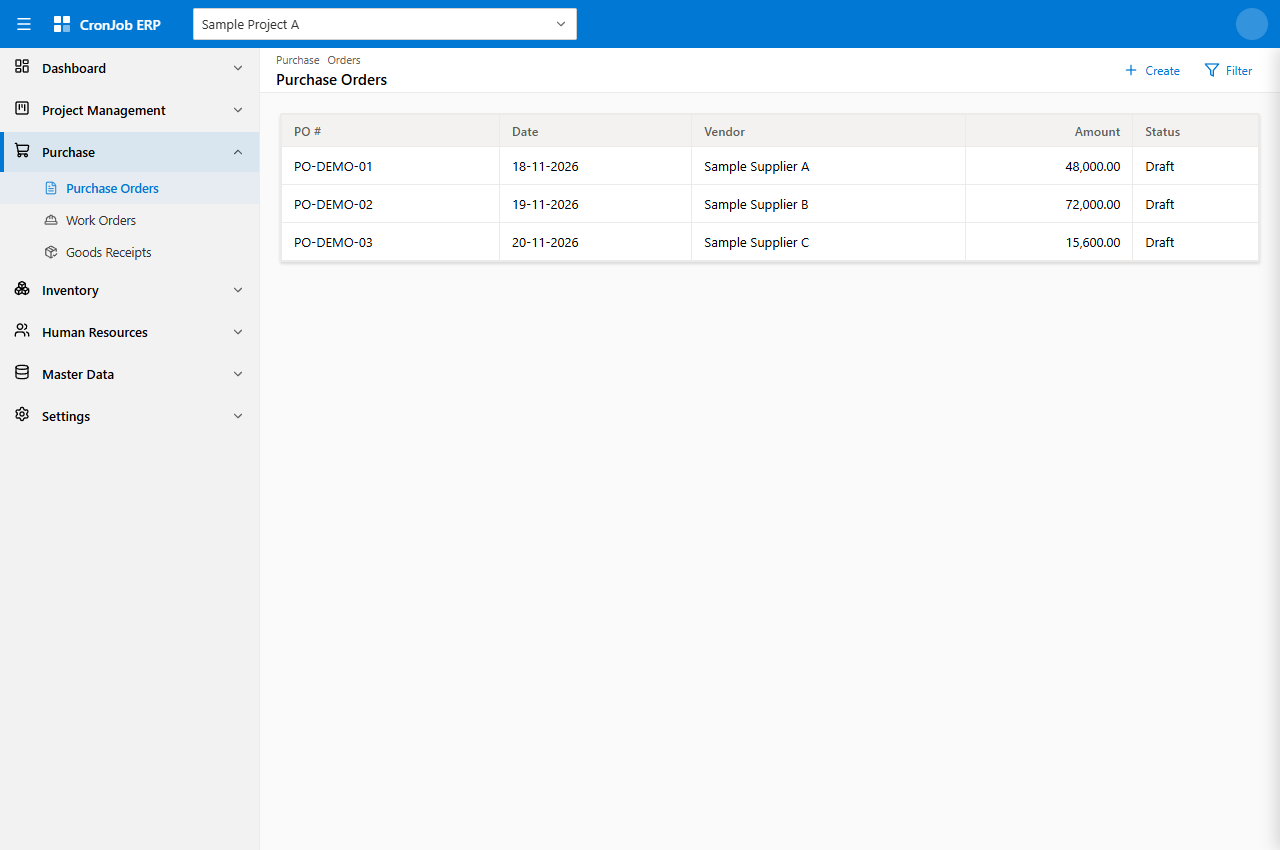
See project workKeep Purchase Orders, Goods Receipts and stock movements in structured registers, so teams can follow what was ordered and received.
See purchasing and stockReview project cost information alongside dedicated employee, attendance and payroll records, instead of piecing together separate files.
See workforce recordsHow the work fits together
From planning site work to reviewing project costs, each activity provides context for the next.
Define tasks, assign people and track deadlines.
Review Site Requests and record the decision.
Keep orders and received materials visible.
Follow balances, transfers, gains and losses.
Use the Cost Summary to review the project picture.
Build a workflow around the records your team uses. Review the relevant modules, access roles and approval steps together during your demo.
Explore the application
Explore project work, purchasing and workforce records through application screens with sample data.
Bring work, requests and responsibilities into one project view.
Give purchasing and store teams a consistent record of commercial and stock activity.
Make employee information, attendance and payroll records easier to review.
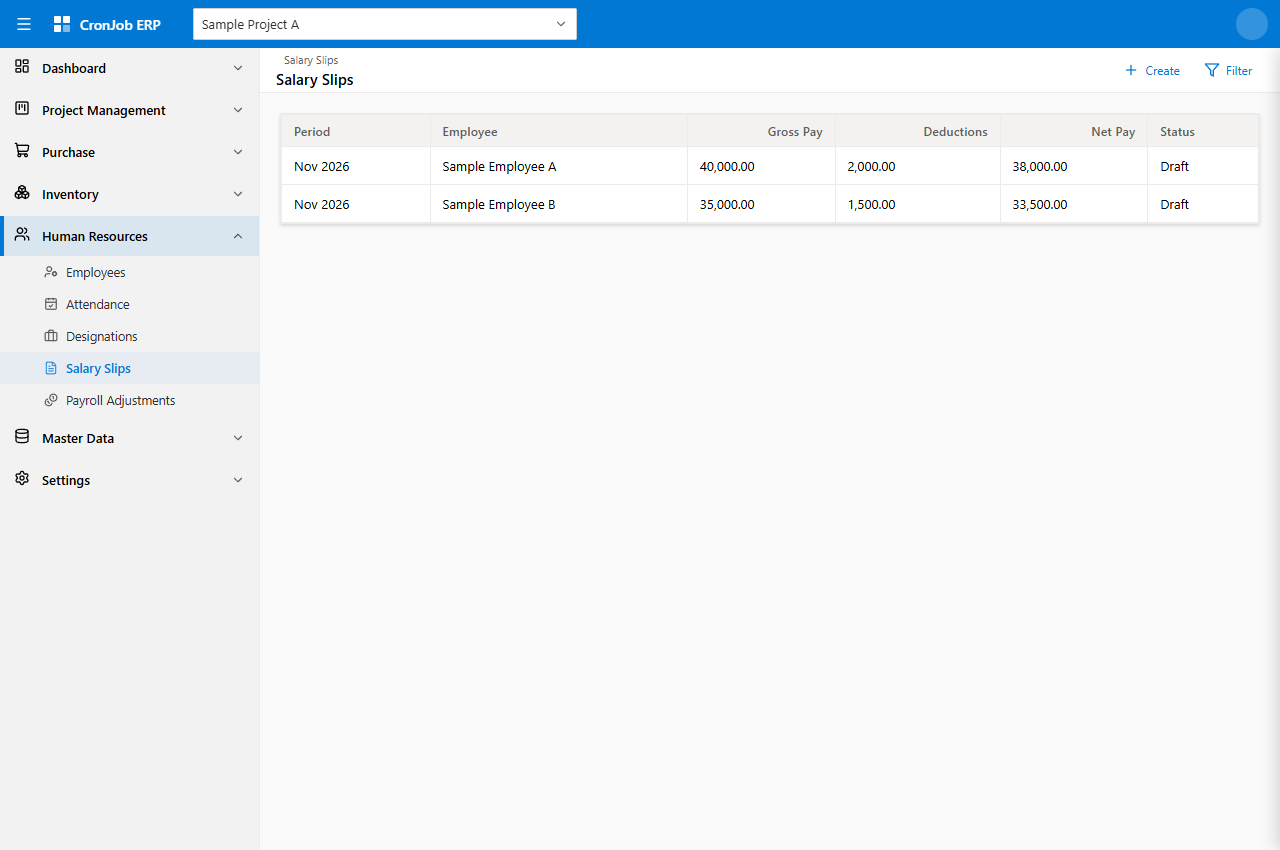
Screens contain sample data. The optional attendance concept is clearly labelled and is not a released screen. Open a preview at full size to see the detail.
The broader ERP picture
Start with purchasing, inventory and workforce records. Add project workflows and financial views that fit the way your business operates.
Tasks, assignments, Site Requests, approvals and project cost information in a shared workbench.
Core operational areaKeep Purchase Orders, Work Orders and Goods Receipts organised for buyers, stores and operations teams.
Core operational areaReview material balances and record transfers, gains and losses between stores.
Core operational areaMaintain employee, attendance, salary-slip and payroll-adjustment records.
Workforce operationsDiscuss the financial views, reports and record scope needed by your business.
Discuss module availability in your demoExplore whether the available sales and production workflows fit your operating needs.
Discuss module availability in your demoWe’ll review the modules, workflows and setup relevant to your business during your demo, including any requirements that need further work.
Control and accountability
Set access by role so team members can work with the pages and actions relevant to their responsibilities, including viewing, creating, updating and deleting records.
Use approval workflows for Tasks and Site Requests to show where work stands and who needs to review it.
Follow business records and their history, with the detail available for each workflow shown during your demo.
See how it fits your operations
Tell us how your team works today. We’ll discuss the application screens, module scope, pricing and setup relevant to your business.
Contact CronJob to arrange a CronJob ERP demo.
Opens your email app. If you use webmail, copy the address above and send your enquiry there.
A few useful answers
More specific questions are best explored against your actual workflow.
Discuss your requirementsCronJob ERP is for teams managing purchasing, stock and workforce records. Construction and project teams can also coordinate tasks, Site Requests and project cost information in a shared workspace.
Explore Project Management, Purchase, Inventory and Human Resources on this page. We can also review accounting, sales and production requirements in your demo and confirm the scope available for your business.
The application includes role-based page and action permissions. A demo can show how access to viewing, creating, updating and deleting records is configured for your team.
Email us to arrange a guided demonstration of the screens and workflows relevant to your business. The application previews on this page use sample data.
We’ll discuss module scope, pricing, configuration and implementation during your demo, based on your team and the workflows you need.